Overview & Operational Impact
Dynamic matrix reports built across every core training and business object.
Standard ERPs lock administrators into rigid, canned reports that rarely match specific institutional inquiries. Report Plus introduces a flexible dynamic reporting framework: select any ERP entity—such as Leads, Courses, Batches, Deals, Invoices, or Activities—pick custom field columns, apply granular filters, and cross-tabulate groups dynamically.
Release At A Glance
What Changed
Key functional enhancements delivered in this release.
Dynamic Object Selection
Create reports across Leads, Trainees, Batches, Deals, Activities, Invoices, and Forecasts.
Custom Column Builder
Pick and reorder display columns to match exact operational reporting needs.
Multi-Level Grouping
Group records by Lead Source, Stage vs Type, Course Category, Center Branch, or Assigned Counselor.
Role-Based Report Sharing
Save private reports or share across specific roles, users, or whole campus networks.
How It Works: End-to-End Workflow
A flexible 4-step workflow to build, group, and share custom ERP reports.
Select Data Object
Choose the core entity: Leads, Course Batches, Deals, Activities, or Accounts.
Select Display Columns
Check the exact metrics, dates, and attributes you want in the report matrix.
Configure Filters & Grouping
Apply date ranges, status filters, and group by stage vs category.
Save, Share & Export
Bookmark to Favorites, share with department roles, or export to CSV.
Why It Matters for Institutional Leadership
Streamlining team communication while safeguarding enterprise institutional knowledge.
Eliminates the hours spent downloading CSV files and writing spreadsheet formulas. Academic coordinators, accountants, and campus directors get instantaneous answers directly inside the system.
Release Interface Gallery
Verified screenshots of Introducing Report Plus in active operation.
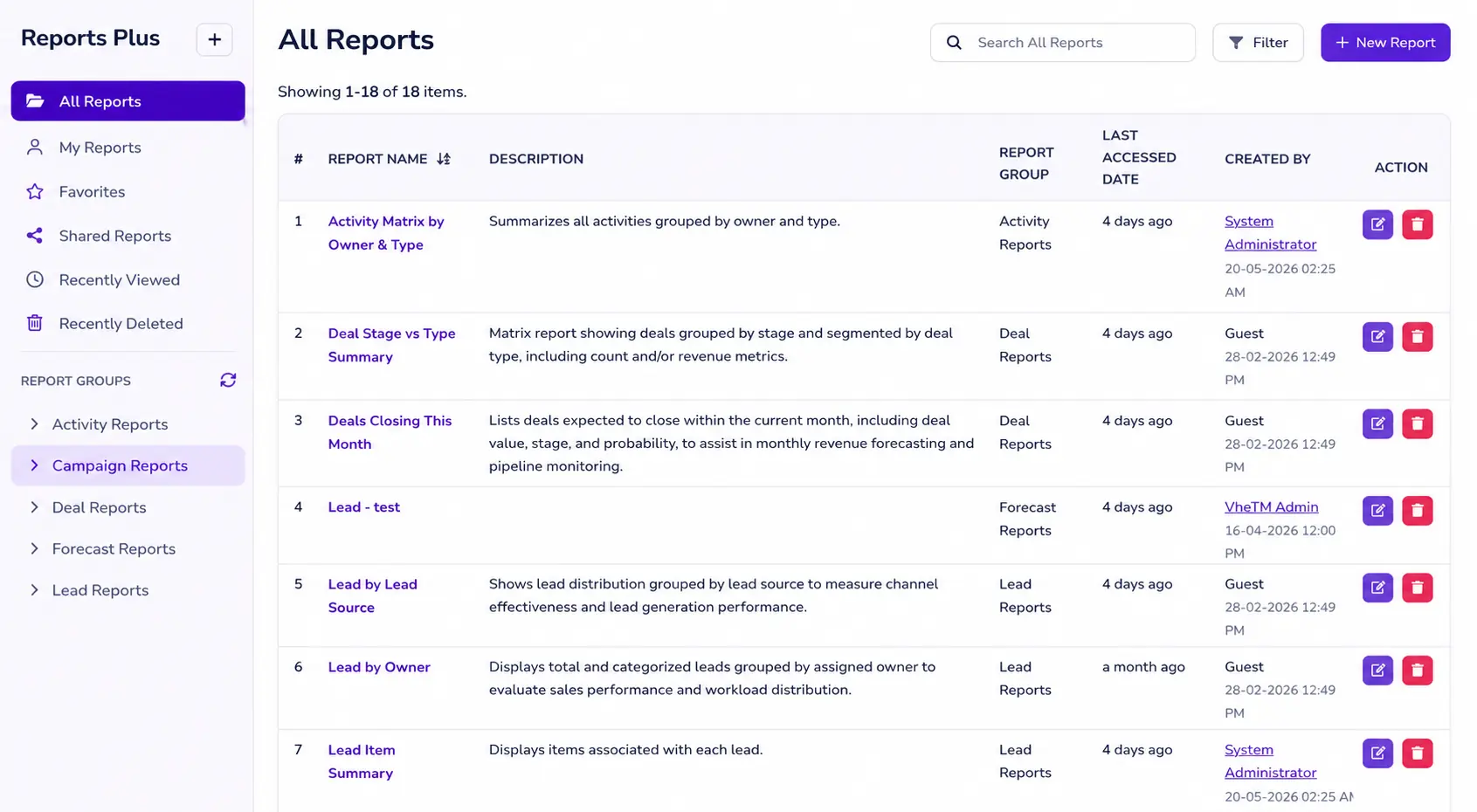
Report Plus centralized catalog with sharing permissions and category filters
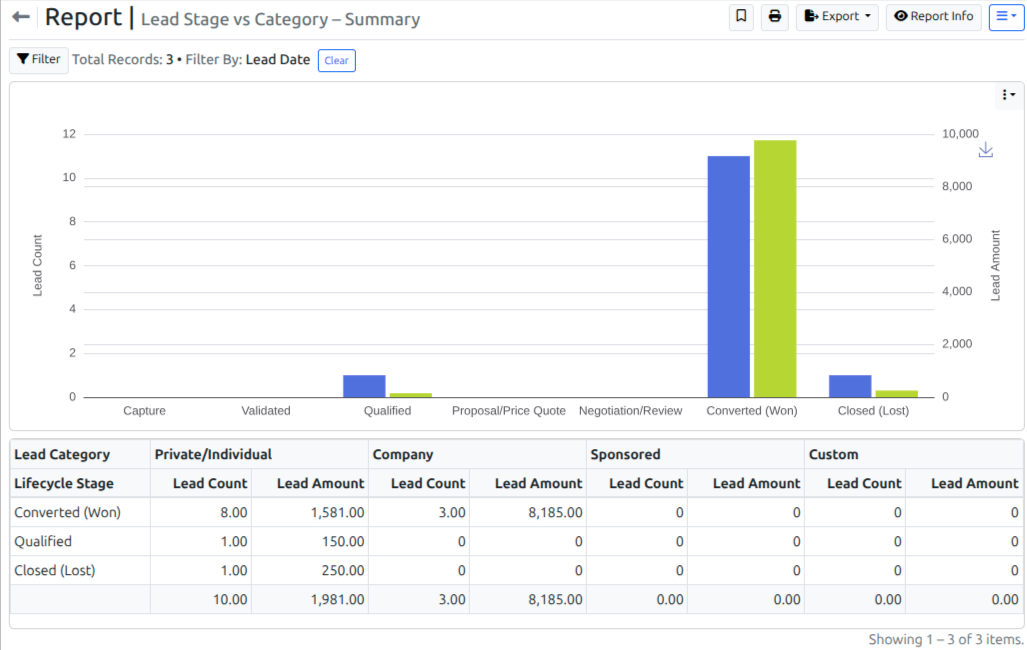
Dynamic 2-dimensional matrix report comparing lead stages against course categories
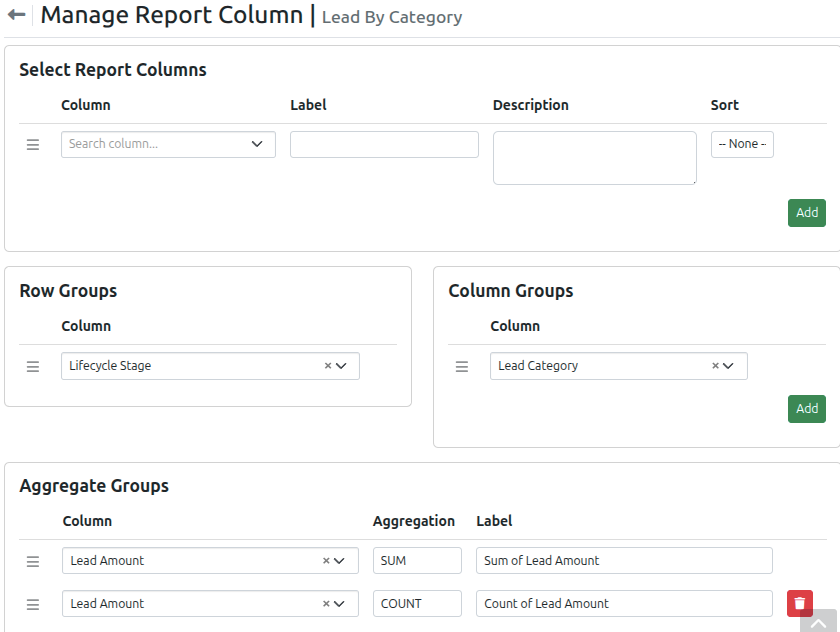
Dynamic Configuration for 2-dimensional matrix report
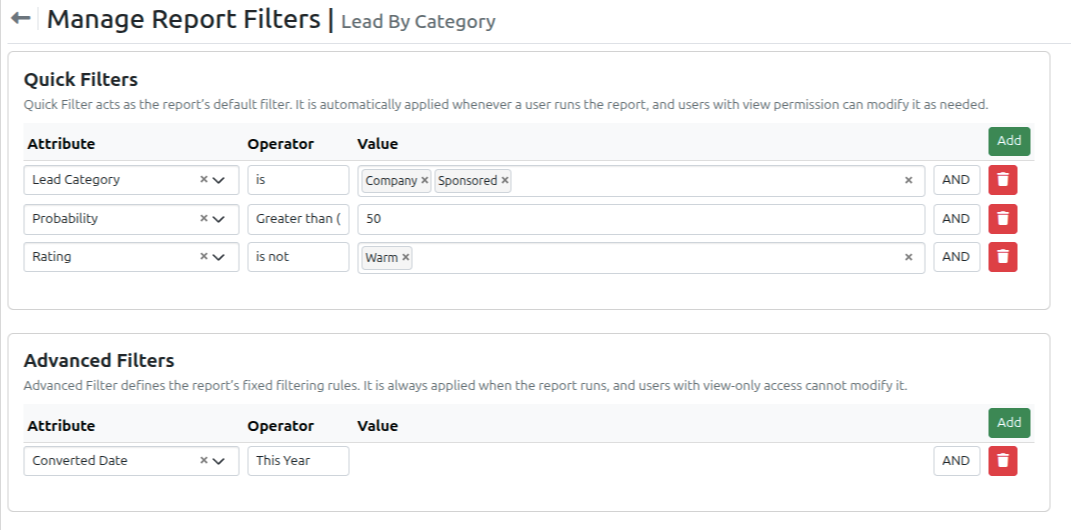
Dynamic Filter Configuration
Share This Release With Your Network
Help other training directors, academic coordinators, and campus administrators discover the latest capabilities in VheTM.
Reporting & Analytics
Explore the full reporting engine and matrix analytics.
Explore FeatureUnderstanding VheTM Reporting & Analytics
Step-by-step workflow guide on Report Plus queries.
Read GuideTraining Institutes
Discover how VheTM powers full lifecycle education and training management.
View Solution